How it works工作原理
SpatialGen (prompt or image) or Aholo Reality (video, photos, Insta360)SpatialGen(提示词或图片)或 Aholo Reality(视频、照片、Insta360)
Lux3D mesh from text or images, split into semantic parts, given joints from a sentence用 Lux3D 从文本或图片生成网格,拆分为语义部件,再用一句话赋予关节
Skeleton and skin weights on a static humanoid, then official clips retargeted onto it为静态人形网格加上骨骼与蒙皮权重,再把官方动作片段重定向上去
Camera keyframes, Catmull-Rom playback, a storyboard pack for LuxReal镜头关键帧、Catmull-Rom 样条回放、交给 LuxReal 的分镜包
The life of one scene一个场景的完整历程
Here is the espresso machine you meet in the studio, followed from prompt to shot. Every step was a real job.下面以创作台里的那台意式咖啡机为例,从提示词一路跟到成片镜头。每一步都是真实任务。
- Prompt to mesh.
lux3d.textTo3d.createwith the G1 engine returned a 229,788-triangle mesh with three PBR maps in 343 s (task 8353478). The same prompt on G1-Turbo took 151 s (task 8353472).提示词到网格。使用 G1 引擎调用lux3d.textTo3d.create,343 s 后返回一个 229,788 个三角面、带三张 PBR 贴图的网格(任务 8353478)。同一提示词用 G1-Turbo 耗时 151 s(任务 8353472)。 - Mesh to parts.
lux3d.partSplit.createon the G1 result returned four sub-meshes with the same total triangle count in 118 s (task 8354166).网格到部件。对 G1 结果调用lux3d.partSplit.create,118 s 后返回四个子网格,三角面总数保持不变(任务 8354166)。 - Parts to joints.
lux3d.articulationAnimation.createwith “The top brewing hood hinges open upward about its back edge while the front capsule drawer slides out” returned a URDF in 298 s (task 8354168): a revolute hood hinge (0 to 90°) and a prismatic drawer (0 to 0.233).部件到关节。以提示词「The top brewing hood hinges open upward about its back edge while the front capsule drawer slides out」(顶部冲泡盖沿后缘向上翻开,同时前方胶囊抽屉滑出)调用lux3d.articulationAnimation.create,298 s 后返回一个 URDF(任务 8354168):盖子是一个旋转关节铰链(0 到 90°),抽屉是一个滑动关节(0 到 0.233)。 - Into the world. The studio reads that URDF at runtime, assembles the links and places the machine on the loft floor it finds in the voxel collision grid. In the SpatialGen coffee bar it stands on a table.放进世界。创作台在运行时读取这个 URDF,组装各个连杆,并把咖啡机放到从体素碰撞网格中找到的 Loft 地面上。在 SpatialGen 咖啡吧里,它立在一张桌子上。
- An actor to use it. A G1-Turbo character in a strict T-pose was auto-rigged with 52 joints (task 8355123), then given eight official clips by
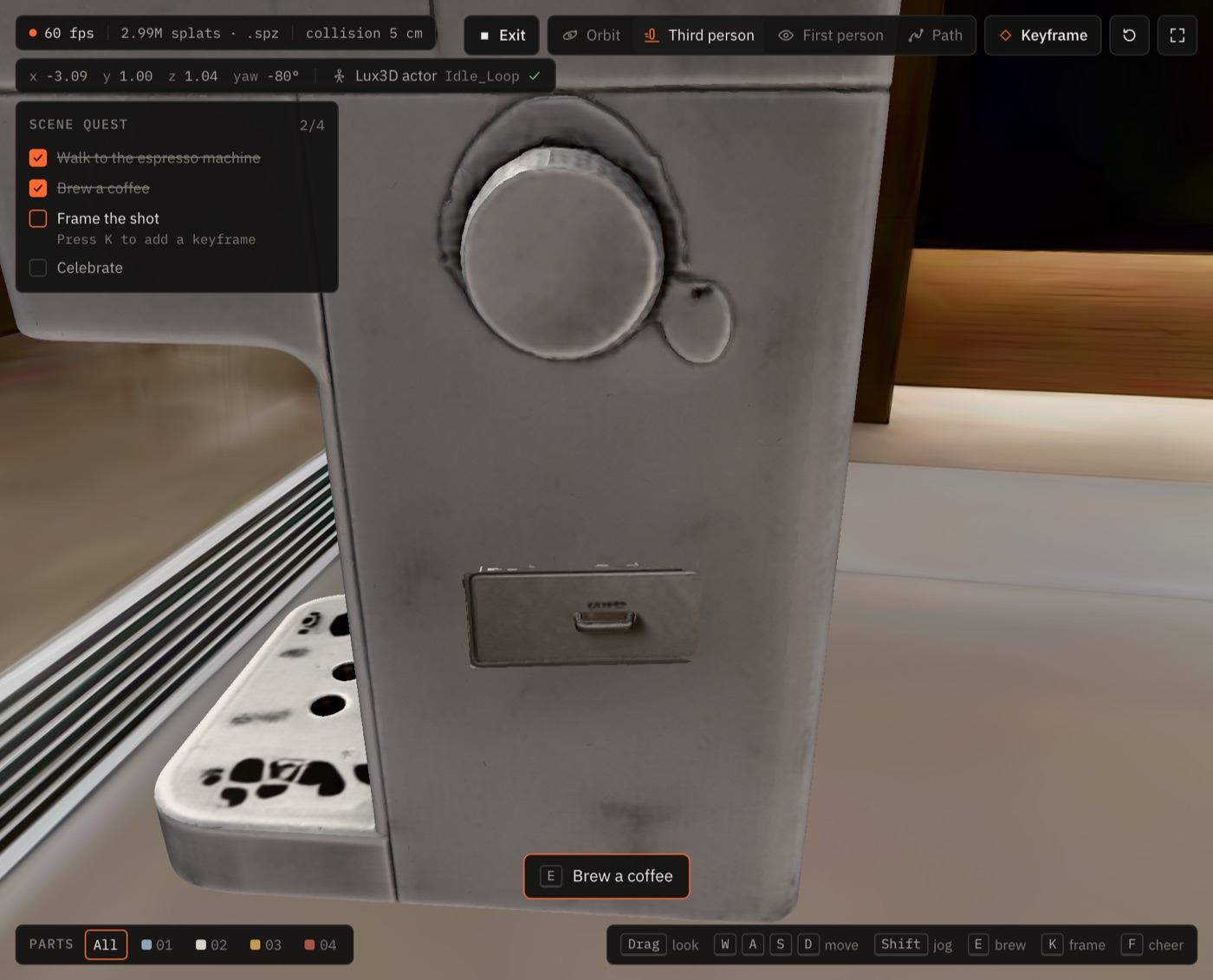
humanoidAnimationRetarget(task 8359816).让角色来用它。一个严格 T-pose 的 G1-Turbo 角色经自动绑骨得到 52 个关节(任务 8355123),再通过humanoidAnimationRetarget获得八个官方动作片段(任务 8359816)。 - Play and direct. In play mode you walk the actor to the machine and press E: the hood and drawer open on the URDF joints while the actor plays
Interact. Press K and the shot becomes a keyframe on the camera path, ready for LuxReal.游玩与导演。在游玩模式中,操控角色走到咖啡机旁按 E:盖子和抽屉沿 URDF 关节打开,角色同时播放Interact。按 K,当前画面就成为镜头路径上的一个关键帧,可直接交给 LuxReal。
The studio at a glance创作台概览
| Area区域 | What it holds包含什么 |
|---|---|
| Header顶栏 | The five world tabs, links to the report and MCP hub, render settings, and the API key field (COM or CN region).五个世界标签页、报告与 MCP 中心的链接、渲染设置,以及 API 密钥输入框(COM 或 CN 区域)。 |
| Left dock左侧面板 | World, Lux3D and Scene tabs: SpatialGen and Reality jobs, every Lux3D method, the stage prop list, material transfer and export.世界、Lux3D、场景三个标签页:SpatialGen 与 Reality 任务、全部 Lux3D 方法、舞台道具列表、材质迁移与导出。 |
| Stage舞台 | The WebGL2 viewport. Toolbar: Play, camera mode (orbit, third person, first person, path), Keyframe, reset camera, Expand.WebGL2 视口。工具栏:游玩、镜头模式(环绕、第三人称、第一人称、镜头路径)、关键帧、重置镜头、全屏。 |
| Right dock右侧面板 | Parts (explode, articulation, part list), Actor (clip library and retargeting) and the Co-director.部件(爆炸视图、关节化、部件列表)、角色(动作库与动画重定向)以及 AI 副导演。 |
| Timeline时间轴 | The camera path: keyframes, Play path, copy prompt, storyboard JSON, Open in LuxReal.镜头路径:关键帧、播放路径、复制提示词、分镜 JSON、在 LuxReal 中打开。 |
On screens up to 900 px wide the docks move into a left drawer behind the burger button and the stage takes the full width. See Play mode for the touch controls.在宽度不超过 900 px 的屏幕上,两侧面板会收进左侧抽屉(点汉堡菜单按钮打开),舞台占满整个宽度。触控操作见游玩模式。